
Private browsing, truly through Tor.
Every page and download in this browser travels through three Tor relays, so websites see the last relay, not your IP address. If Tor isn’t connected, pages are stopped — never quietly sent over a direct connection.
- 3Tor relays per route
- 7 daysof Tor, free
- 25interface languages
Tor is free for 7 days, then needs a membership · Only this browser’s traffic goes through Tor · Not a VPN
Developed independently. Not affiliated with or endorsed by The Tor Project.
Tor you can actually see
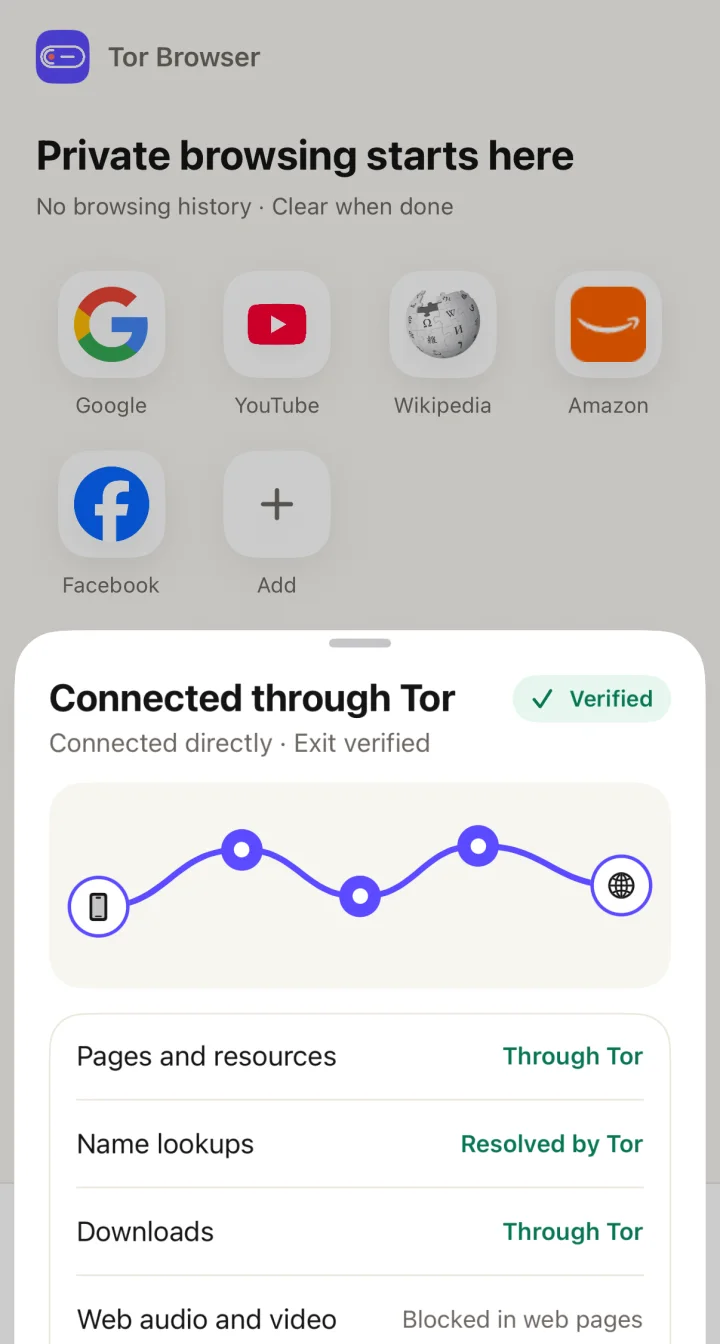
Not another incognito mode. Your browsing really goes through Tor, and the browser shows you that it does.
Truly through Tor
Pages, name lookups and downloads all travel across three Tor relays. WebRTC is off, and .onion sites open like any other page.
See exactly how you’re connected
The Tor exit is verified, and the connection panel shows, item by item, whether pages, name lookups and downloads go through Tor.
Clear everything in one tap
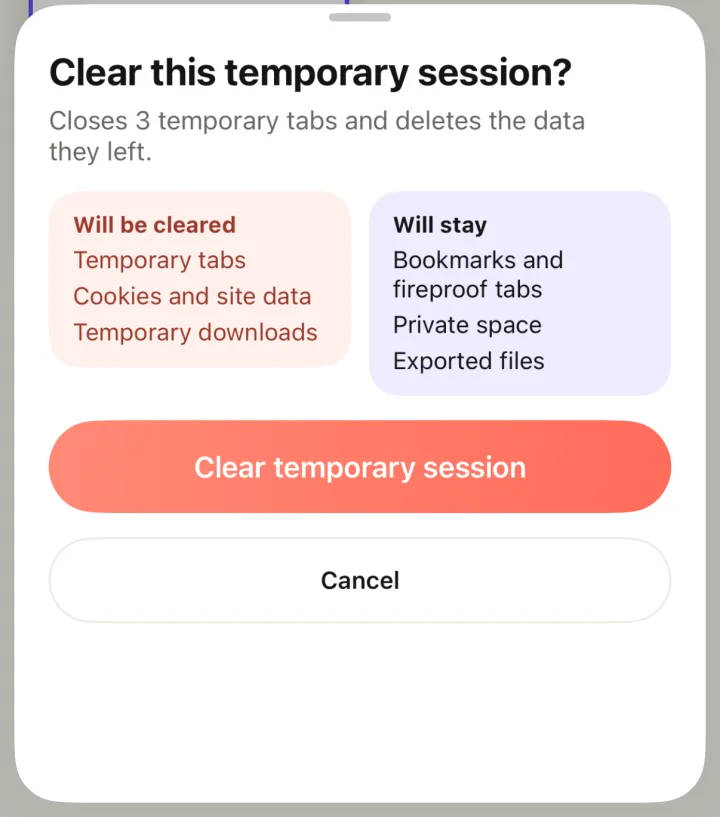
Pages open in temporary tabs that don’t create browsing history. Tap the flame to close them and delete their cookies, site data, cache and temporary downloads.
Connects even when Tor is blocked
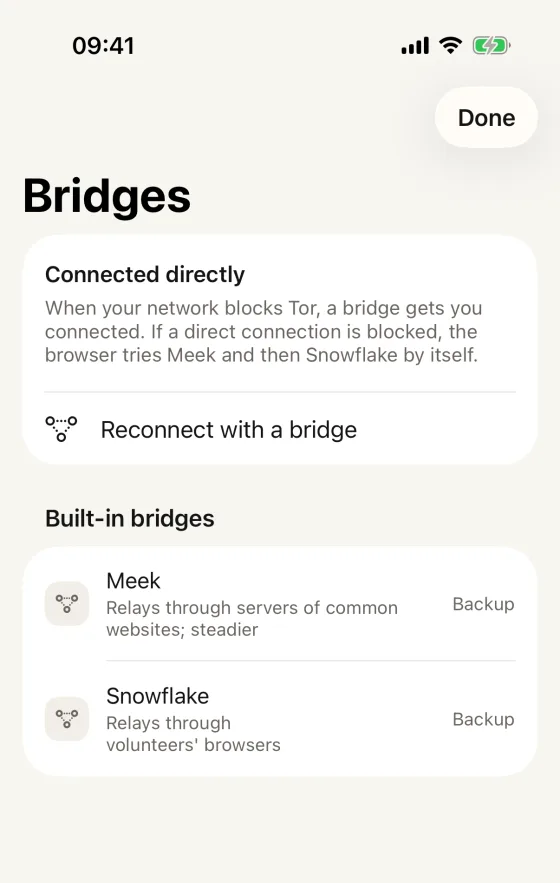
If a direct connection to Tor is blocked, the browser tries the Meek bridge, then Snowflake, and remembers what worked for next time.
Never falls back to a direct connection
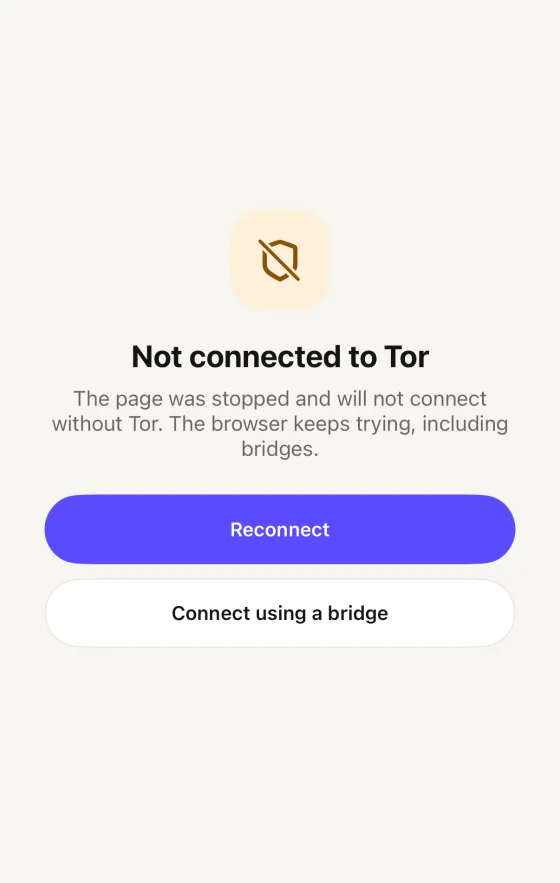
Until Tor is ready, pages are blocked while the browser keeps trying, including with bridges. Nothing slips out over your regular connection.
Block ads and trackers
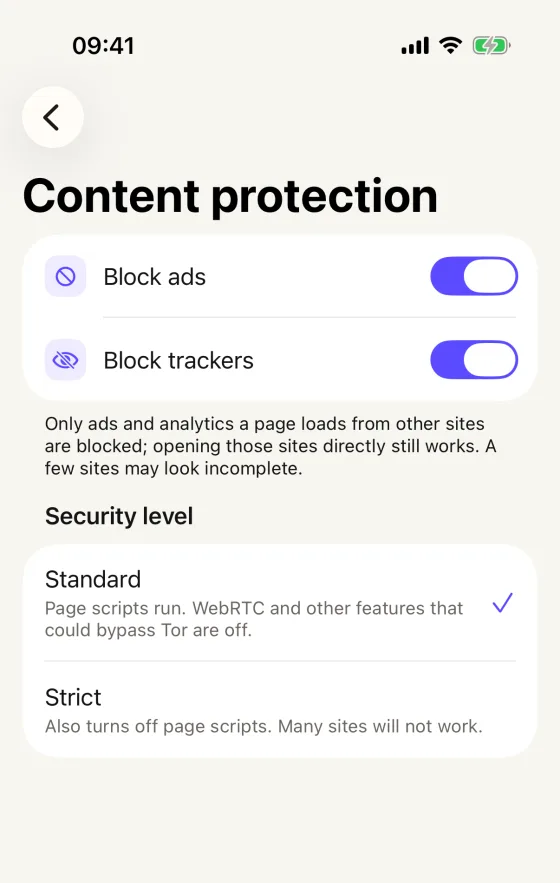
Known ads and trackers are blocked on your device, for cleaner pages and less tracking. The Strict security level also turns off page scripts.
Says what it does
Real screens from the app. Each one tells you plainly what is happening to your connection and your data.
Keep what matters, lock what’s private
Clearing doesn’t have to mean losing your place, and private doesn’t stop at the network.
How it works
Open, browse, clear.
Open and connect
The browser builds a route across three Tor relays and verifies the exit. If Tor is blocked on your network, it tries bridges by itself.
Browse in temporary tabs
Pages open in temporary tabs that don’t create browsing history, with known ads and trackers blocked along the way.
Tap the flame
Close the tabs and delete what they left behind. The browser shows what is cleared and what is kept before you confirm.
What Tor does, and what it doesn’t
Tor is a strong tool, not a magic one. No browser can promise anonymity, and this one doesn’t pretend to.
Tor helps to
- Hide your IP address from the websites you visit.
- Hide the sites you visit from your network provider.
- Let you open .onion sites.
Tor does not
- Protect other apps, or files you open outside the browser. Only this browser’s traffic goes through Tor. It is not a VPN.
- Hide what you tell websites. If you sign in or share personal details, a site can still recognize you.
- Hide unencrypted traffic from the exit relay. Prefer sites that use https.
- Guarantee anonymity, or make unlawful activity lawful.
Nothing comes back to us
A private browser shouldn’t collect anything itself. This one has nowhere to send it.
No account, no tracking
There is no sign-in, and the app contains no analytics, advertising or tracking SDKs.
No servers of ours in the loop
Your browsing, searches, bookmarks and settings are never sent to us. Tor relays and bridges are run by independent third parties.
Kept on your device
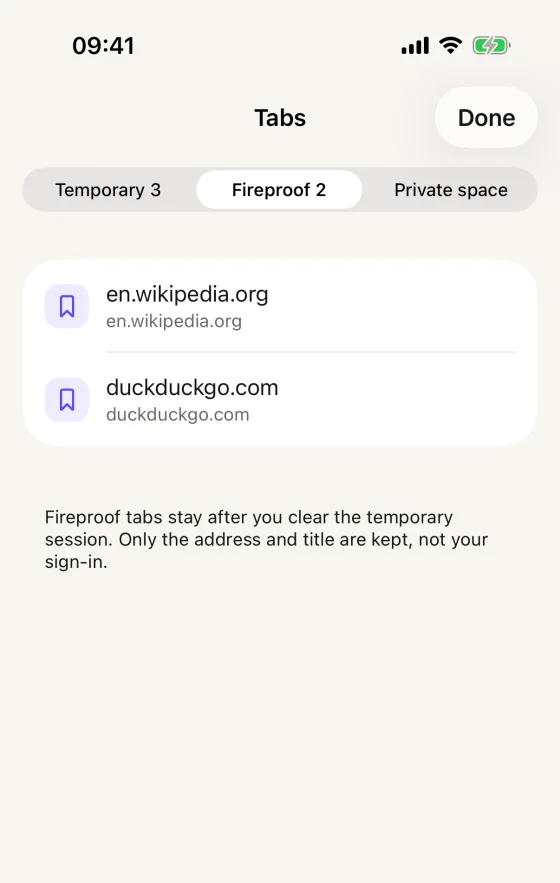
Bookmarks, fireproof tabs and private space pages are stored encrypted on your phone, and you can delete them at any time.
The full picture, including who can see what along a Tor route, is in the privacy policy.
Questions
Is this the official Tor Browser?
No. Tor Private Web Browser is developed independently and is not affiliated with, sponsored by or endorsed by The Tor Project. It includes a built-in Tor client and connects to the same Tor network. “Tor” is a trademark of The Tor Project, Inc.
Is it a VPN?
No. Only pages and downloads in this browser go through Tor. Other apps on your phone, and files you open outside the browser, use your regular connection.
Does it make me anonymous?
It hides your IP address from the sites you visit and hides those sites from your network provider. It does not hide what you tell websites: if you sign in or share personal details, a site can still recognize you. No browser can guarantee anonymity, and this one does not claim to.
What happens if Tor can’t connect?
Pages are stopped. The browser keeps trying, including with bridges, and never loads a page over a direct connection on its own.
Tor is blocked on my network. Will it still work?
Usually. When a direct connection to Tor is blocked, the browser tries the Meek bridge and then Snowflake, and remembers which one worked. Bridges are run by third parties and can be slow or unavailable at times.
What does the flame button clear?
It closes your temporary tabs and deletes their cookies, site data, cache and temporary downloads. Bookmarks, fireproof tabs, private space and files you exported stay. The browser shows both lists before you confirm.
Is it free?
The app is free to download, and connecting through Tor is free for 7 days. After that, Tor needs a membership. Without one you can still choose to browse without Tor: the browser clearly labels that mode, and temporary tabs, clearing and ad and tracker blocking keep working, but websites can see your IP address and .onion sites are not available.
What does a membership include?
It keeps Tor working after the free 7 days, with bridges, new identities and .onion sites, and adds fireproof tabs, private space and shake to hide. Lifetime, Annual and Weekly plans are offered; prices are shown in the app before you buy, and purchases go through the App Store or Google Play. Details are in the terms of service.
What data do you collect?
None through the app. There are no accounts and no analytics, and we run no servers that receive your browsing. Bookmarks, settings and private space pages stay on your device. The privacy policy explains this in full.
Browse through Tor. See that you are.
Free to download on iPhone and Android. Tor is free for 7 days, then needs a membership.